Website speed in 2026: Core Web Vitals (LCP, INP, CLS) and how to make it faster
Core Web Vitals 2026: LCP, INP and CLS thresholds, trusted tools, and a clear, no-fluff plan to speed up your site.


I will look at your site and answer your questions on the topic of this article. 30 minutes, no slide decks, no pressure.
Book a consultationIn short: in 2026, site speed is measured not by a "PageSpeed score" but by three Core Web Vitals metrics — LCP (under 2.5s), INP (under 200ms), and CLS (under 0.1). To land in the "green zone," at least 75% of real visits must meet all three thresholds at once. Check your site in PageSpeed Insights, Lighthouse, and Search Console, and start optimizing with images, server response time (TTFB), and excess JavaScript.
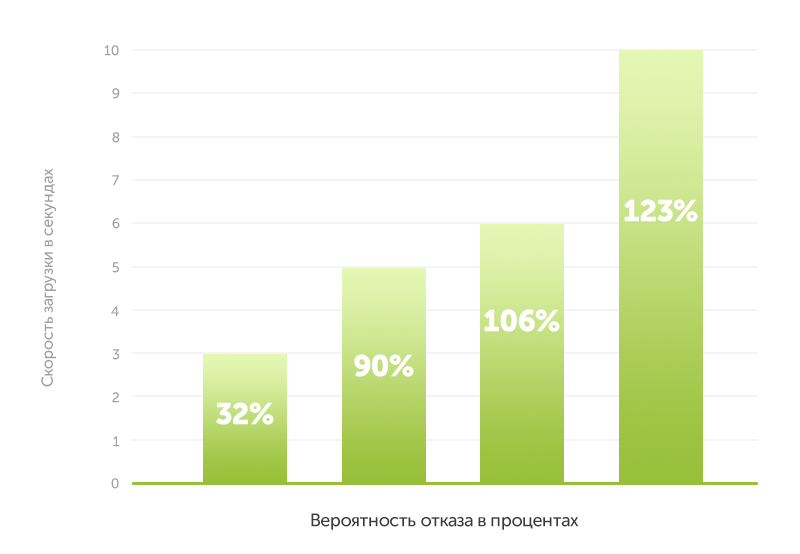
A couple of seconds seems like nothing. But those very seconds decide whether a person stays on the page or leaves for a competitor. According to research by Google and Deloitte, improving load time by just 0.1 second noticeably lifts conversion in e-commerce and lead generation.
Here is some fresh 2026 data: every extra second of delay cuts conversions by roughly 7%, and pages that load longer than 3 seconds lose visitors several times faster than those opening in 2. A site with all Core Web Vitals in the "good" zone gets nearly 3x more organic traffic than a site with "poor" scores.
Speed also affects rankings: Google officially uses Core Web Vitals as a page experience signal. After the March 2026 update, speed stopped being a "soft" factor — pages borderline on LCP and CLS started visibly dropping in search. If you want to fix the technical side systematically, start with a technical site audit.
What does your competitor have that you don't yet? Traffic, of course. SEOquick to the rescue!
We'll bring loads of traffic to your site through SEO.
We'll do it with white-hat methods only, no filters or penalties from Google.
We'll run deep optimization: strengthen content, grow links and reputation. And it will all work out!
What Core Web Vitals are and which thresholds matter in 2026
Core Web Vitals are a set of three metrics Google uses to assess real user experience. The key point: these are measured not by your lab test but by data from live Chrome users (field data).
LCP (Largest Contentful Paint) — the time it takes to render the largest visible element (usually a hero image or heading). It answers the question "when did the user see the main content." A good threshold is under 2.5 seconds for 75% of visitors.
INP (Interaction to Next Paint) — a responsiveness metric that replaced the outdated FID in March 2024. INP measures the delay between a user action (click, tap, key press) and the visual response of the interface. A good threshold is under 200 milliseconds. INP is the metric sites fail most often in 2026: about 43% of origins don't meet the 200ms bar.
CLS (Cumulative Layout Shift) — visual stability: how much the layout "jumps" while the page loads. A good threshold is under 0.1.
For a group of URLs to get a "Good" status in Search Console, at least 75% of visits must meet the thresholds for all three metrics at once. Per 2026 CrUX data, only about 56% of sites pass all three Core Web Vitals — so there's huge room to grow.
Why sites load slowly: the 7 main causes
To speed up a site, you need to understand what's slowing it down. Here are the common causes in 2026.
1. Heavy images. Images make up about 48% of an average page's weight and are the LCP element on nearly 85% of desktop pages. An unoptimized hero in JPEG or PNG is the main cause of poor LCP.
2. Excess JavaScript. The fastest JS is the JS you don't ship. Unnecessary scripts and heavy libraries clog the browser's main thread and hurt INP. A "long task" is anything over 50ms — while it runs, the interface doesn't respond to clicks.
3. Render-blocking CSS and fonts. Large stylesheets and custom fonts block rendering. Without critical CSS and preload, the browser waits before showing content.
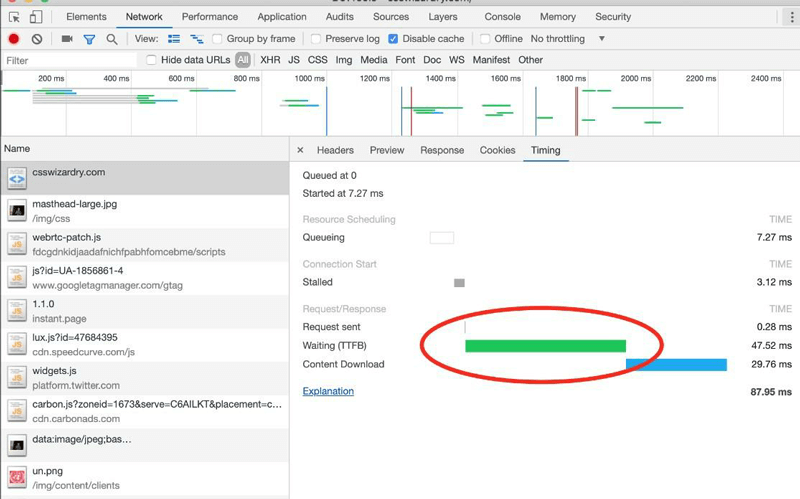
4. Slow server (TTFB). Time To First Byte is the time until the first byte of the response. Google considers a TTFB under 800ms "good," but for comfortable LCP you should stay within 200ms. If the server responds in 600ms, you simply have no budget left for fast LCP.
5. Third-party widgets and tags. Chats, maps, ad and analytics scripts often take up most of the main-thread time. Govern them like infrastructure: audit quarterly, lazy-load, and remove what's unused.
6. Images and blocks without set dimensions. If an image, ad, or embedded block has no reserved space (no width/height or aspect-ratio), the layout "jumps" as it loads — CLS rises.
7. Server distance from the user. The farther a user is from the server, the longer the response takes. The fix is a CDN: content is cached on edge servers closer to the visitor, cutting TTFB by 40–70%.
By the way, it's better not to host video on your own server but to put it on video platforms like YouTube and embed it by link — that way it doesn't weigh the page down.
How to measure speed: 2026 tools
It's important to distinguish two data types. Field data is the behavior of real Chrome users from the CrUX report; this is what Google uses for ranking. Lab data is a controlled test on a single device and network; it's handy for debugging but doesn't directly affect ranking.
Google PageSpeed Insights
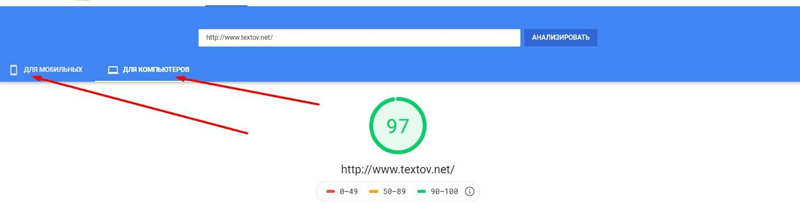
PageSpeed Insights is the main free tool. It's the only one that combines the Lighthouse lab report and CrUX field data on one screen. Enter a URL and you'll see real LCP, INP, CLS from your visitors plus concrete recommendations.

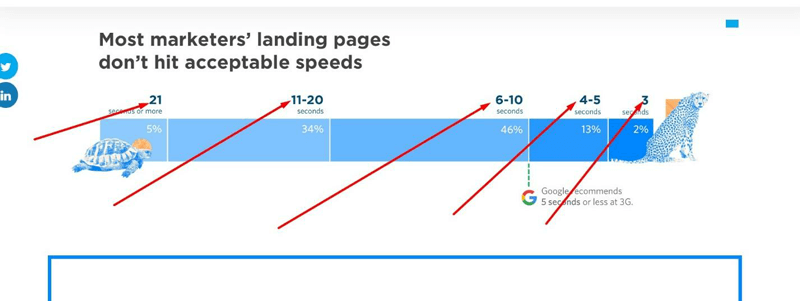
By default it checks the mobile version — and that's where to start, since the average mobile site loads in about 8.6 seconds versus 2.5 on desktop.
Lighthouse
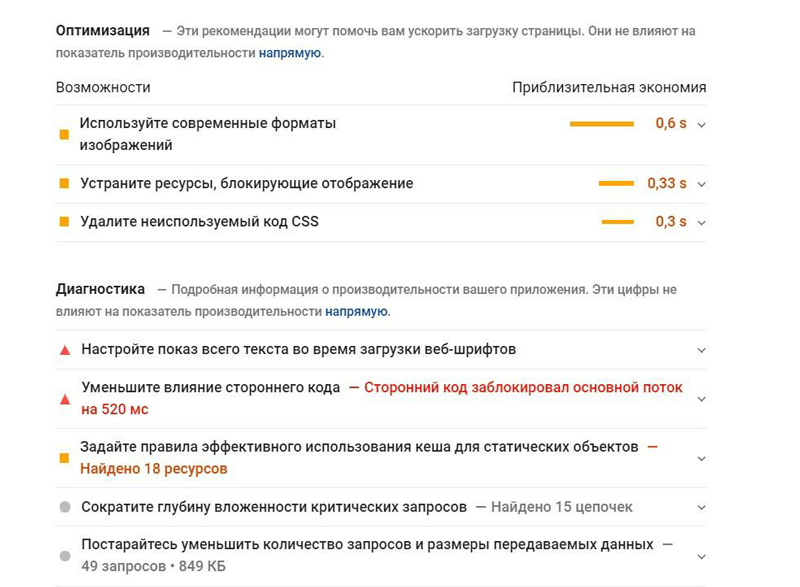
Lighthouse is built into Chrome DevTools (the Lighthouse tab) and provides a detailed performance audit broken down by issue: unoptimized images, render-blocking resources, unused CSS/JS. It's a developer's tool for finding and fixing bottlenecks.
Google Search Console
In the "Core Web Vitals" report, Search Console shows which URL groups pass the thresholds and which don't — based on field data over a 28-day rolling window. It's the first place to look to understand the real picture across the whole site.
WebPageTest and GTmetrix
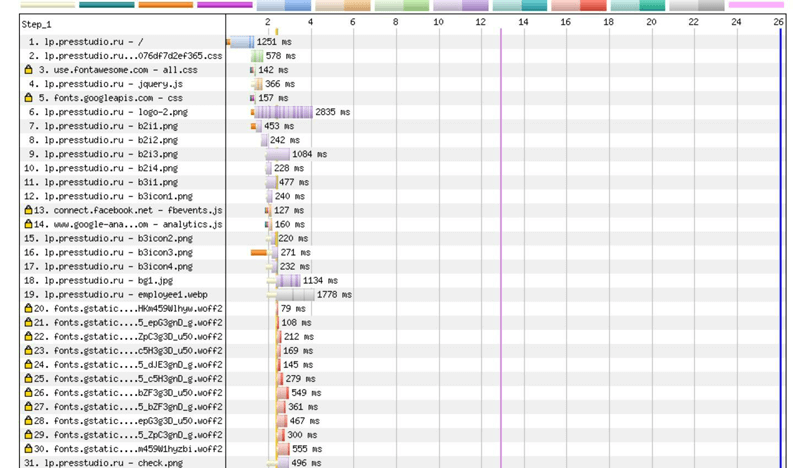
WebPageTest (since 2009) lets you test loading from dozens of locations worldwide, build waterfall charts, and see which content slows things down most. GTmetrix is a convenient visual report on page weight and request count. Both are lab tools for deep diagnostics.
How to speed up your site: an optimization plan
Speeding up isn't one-time magic but consistent work. Here's a priority order that genuinely moves Core Web Vitals.
1. Optimize images (the main lever for LCP). Move to modern formats: AVIF (≈94% support, roughly half the weight of JPEG) with a WebP fallback (≈96% support, 25–35% lighter). For the hero image, add fetchpriority="high" and preload — in Google's tests this cut LCP from 2.6 to 1.9s. The key rule: never lazy-load the LCP image; load it immediately.
2. Remove excess JavaScript (the main lever for INP). Break up "long tasks" (over 50ms) and yield control back to the browser via modern schedulers. Use code splitting and dynamic imports to load only what's needed. Offload heavy computation to Web Workers. Real case: a store dropped INP from 620 to 89ms by removing 1.4MB of frontend JS.
3. Stabilize the layout (CLS). Set width/height or aspect-ratio for all images, ads, and embeds. For fonts, use font-display: optional with size-adjust to eliminate font-swap shifts. Animate only transform and opacity — never top/left/width/height.

4. Speed up the server (TTFB). Enable server and page caching (Redis/Memcached cut TTFB from 800 to 100–200ms), remove unnecessary redirects, and serve pre-built static HTML where possible. Quality hosting and moving from shared to VPS can halve TTFB.
5. Add a CDN. A content delivery network caches static assets closer to the user and handles the SSL handshake, reducing network latency. For sites with a geographically spread audience, it's a must-have.
6. Extract critical CSS. Inline critical CSS (under 14KB) in the <head> and load the rest asynchronously — so the browser doesn't wait for the entire stylesheet before the first render.
7. Clean up fonts and third-party tags. Preload critical fonts, subset to the characters you need, lazy-load widgets below the first viewport, and audit the GTM container regularly.
If all this sounds complex, these tasks are handled during website development and as part of search engine promotion — technical speed directly strengthens your SEO results.
Frequently asked questions
What load speed is considered good in 2026?
Don't focus on abstract seconds but on Core Web Vitals: LCP under 2.5s, INP under 200ms, CLS under 0.1. For a site to officially count as fast, these thresholds must be met by at least 75% of real visitors.
How does INP differ from FID and why does it matter?
In March 2024, INP replaced FID in Core Web Vitals. FID only counted the delay of the first interaction, while INP assesses responsiveness across the entire visit and all interactions. It's a stricter, more honest metric — and the one most often failed today.
Does site speed affect Google rankings?
Yes. Core Web Vitals are part of the page experience signal, and after the March 2026 update their weight grew. Beyond the direct impact there's an indirect one: a slow site increases bounce rate and lowers engagement, which also worsens ranking.
Which is more important to speed up — mobile or desktop?
Mobile. Google uses mobile-first indexing, and the average mobile site loads almost three times slower than desktop. Start optimization with the mobile PageSpeed Insights report.
How can I measure speed for free?
The basic set: PageSpeed Insights (field + lab data), Lighthouse in Chrome DevTools, Core Web Vitals in Search Console for the whole site, plus WebPageTest and GTmetrix for deep diagnostics.
What gives the fastest speed boost?
Most often — image optimization (compression, AVIF/WebP, hero preload) and reducing JavaScript. Images are nearly half the page weight and the LCP element on most sites, so that's where to begin.
Conclusion
Load speed has long stopped being a "nice bonus" — it's a technical foundation that drives SEO rankings, conversion, and brand trust. In 2026, the language of speed is Core Web Vitals: LCP, INP, and CLS, measured by real users.
The good news: most improvements are standard and well documented. Start by measuring in PageSpeed Insights and Search Console, then by priority address images, server response, excess JavaScript, and layout stability. Repeat the check 2–3 times a year — your site grows and changes, and so does its speed. You can always verify exact thresholds and methodology in the official web.dev documentation.

Website usability in 2026: a UX checklist that drives conversion and SEO
What website usability (UX) is and how to check it in 2026: navigation, mobile-first, Core Web Vitals, accessibility, forms and CTAs, speed, how to measure it, and how UX affects conversion and Google rankings.
Read →
How to choose fonts for a website in 2026: readability, speed, and Core Web Vitals
A practical font choice guide: readability, font pairing, Core Web Vitals, CLS, contrast, Cyrillic support, mobile UX, and performance.
Read →
Image SEO Optimization: alt, Dimensions and Weight for Core Web Vitals
How to optimize images for SEO in 2026: why alt text matters, how width and height stop layout shifts (CLS), which formats (WebP, AVIF) to use, and how not to break LCP with lazy loading. A guide from SEOquick.
Read →Want to apply this to your site?
We will review the current situation, find the first growth levers, and suggest a practical working format.