Technical SEO for older sites in Ukraine: modernization plan for 2026
How to update an outdated site without losing indexation: audit, mobile, speed, HTTPS, structure, canonicals, hreflang, schema, and conversion.


I will look at your site and answer your questions on the topic of this article. 30 minutes, no slide decks, no pressure.
Book a consultationAn old site rarely loses only because of design. The deeper problems are usually duplicates, slow templates, mixed HTTP/HTTPS versions, indexing issues, weak mobile layouts, and analytics that cannot show the real funnel.
Technical SEO in 2026 is not “fixing meta tags”. It is a safe modernization process that lets Google crawl important pages, helps users get an answer quickly, and lets the business see leads.
Quick answer
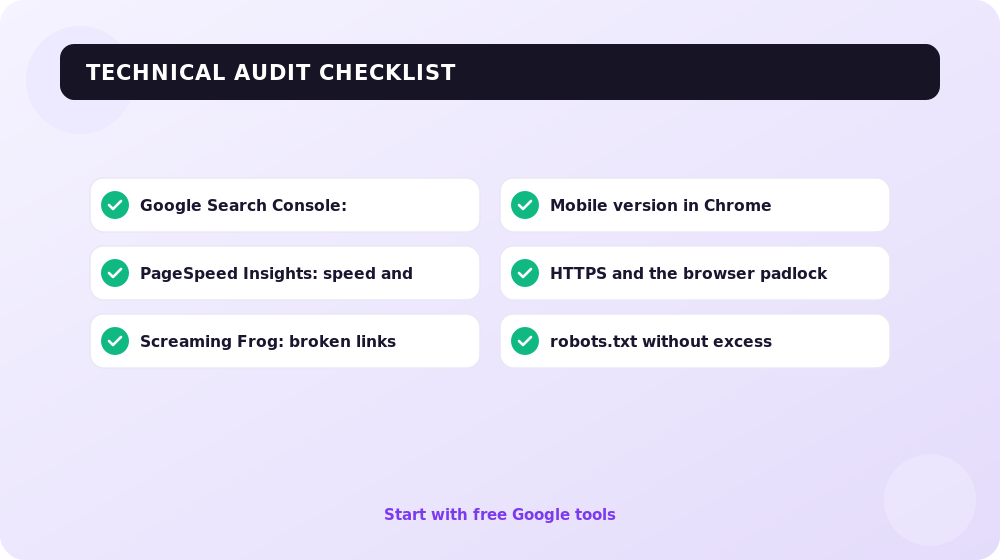
For an outdated site, first check indexation, sitemap, robots.txt, canonical tags, redirects, speed, mobile templates, HTTPS, hreflang, schema.org, and key conversions. Only after that should you rewrite content or redesign.
Where competitors lose growth
| Problem | What it looks like | What to do |
|---|---|---|
| Old templates | inconsistent menus, duplicate titles, old JS libraries | start with technical audit |
| Uncontrolled indexation | filters, archives, parameters in search | check sitemap, robots, canonicals |
| Speed by opinion | PageSpeed is red but tasks are not prioritized | review LCP, INP, CLS by template |
| No sales connection | traffic exists, leads are unclear | configure GA4/GTM events |
Modernization plan
- Build a URL map: services, blog, categories, language versions.
- Check 200/301/404, canonicals, and redirect chains.
- Find pages with impressions but weak CTR in Search Console.
- Update mobile templates and above-the-fold blocks.
- Fix Core Web Vitals: LCP, INP, CLS.
- Check HTTPS and mixed content.
- Add schema.org where it matches visible content.
- Add sem.chat for questions after SEO visits.
- Check pages with UNmiss and manual review.
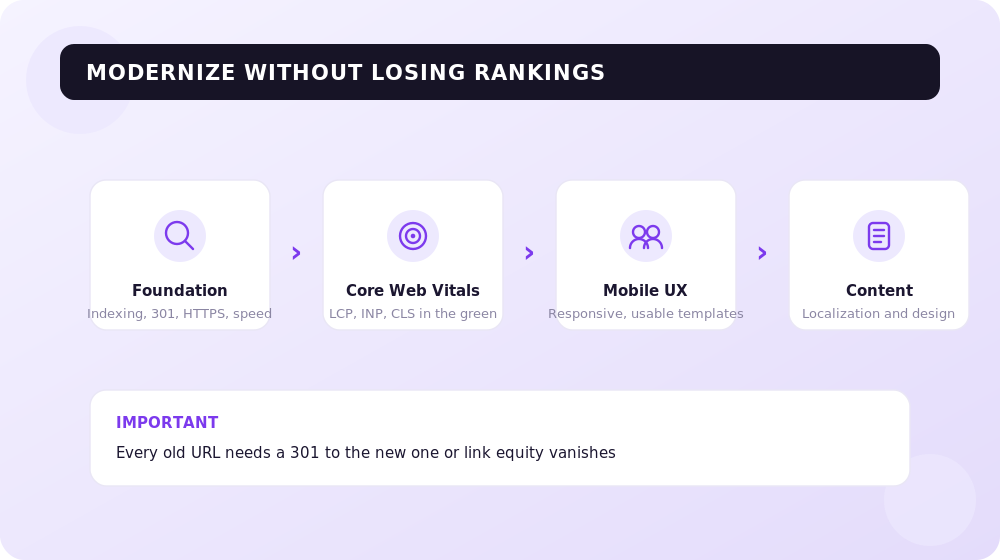
SEOquick practice: update old sites in iterations: indexation and templates first, then speed and UX, then content and GEO. That lowers migration risk during a bigger redesign. Which is cheaper in the end — iterations, a redesign, or a rebuild — we counted in our breakdown of development costs.
Core Web Vitals and why INP now matters most
For Google, speed is not a single number but a set of signals called Core Web Vitals, surfaced both in PageSpeed Insights and in the Search Console report:
- LCP (Largest Contentful Paint) — how long the largest element on screen takes to load. Good is under 2.5 seconds.
- INP (Interaction to Next Paint) — how quickly the page responds to clicks and taps. In 2024 this metric officially replaced the old FID, so responsiveness is now judged by INP. Good is under 200 milliseconds.
- CLS (Cumulative Layout Shift) — how much the layout jumps while loading. Good is below 0.1.
On outdated sites INP is usually the worst offender: heavy themes and a pile of third-party scripts (old sliders, chats, counters) block the main thread, so the page stutters on every tap. Remove unneeded plugins and defer non-critical JavaScript, and INP recovers fast. Google measures these numbers from real Chrome users, so fix them for people, not just for the test.
How to modernize without losing rankings
The most common mistake with old sites is rebuilding everything at once — new design, new URLs, and a new engine in a single move. That easily sinks pages that held their rankings for years. The key safeguard is redirects: when you change URLs (localizing addresses or dropping old parameters like ?p=123), every old URL must 301 to its new counterpart, or the page’s accumulated equity disappears along with its positions. Before any major change, capture a map of current URLs and their positions in Search Console — it is the baseline that later shows you what dropped and what grew.
Service links
If the site has not been updated for years, start with a technical audit. If the issue is already visible in traffic and leads, add SEO services and UX/CX audit.
Sources
How to improve Google rankings in 30 days: an honest plan without top-1 guarantees
What can realistically improve in a month: CTR, technical issues, intent, content, internal links, speed, and conversion.
Read →
How to add a site to search engines: Google, sitemap, and indexation checklist
How to prepare a site for indexing: Search Console, sitemap, robots.txt, internal links, canonical, mobile, speed, HTTPS, and monitoring.
Read →
SEO mistakes on commercial sites: why traffic does not turn into sales
Typical SEO mistakes on eCommerce and service sites: irrelevant blog, weak structure, unnecessary FAQ, redirects, schema, UX, and conversion.
Read →Want to apply this to your site?
We will review the current situation, find the first growth levers, and suggest a practical working format.