What is website history and how to check it: SEOquick
Website history is not trivia — it is SEO due diligence: what the domain did before, which links and penalties it drags along, and how to check all of it before a purchase, redesign, or migration.


I will look at your site and answer your questions on the topic of this article. 30 minutes, no slide decks, no pressure.
Book a consultationWebsite history (or domain history) is the sequence of everything that happened to a resource before it reached you: what content was published on it, which links pointed to it, whether the topic changed, whether there were penalties, and who owned it. To check a website's history you only need a small stack of free and paid tools: the Wayback Machine (web.archive.org) for archived page snapshots, Whois history for ownership changes, Ahrefs or Semrush for link and traffic history, the site:domain.com operator and Google Search Console for indexation and manual actions.
In 2026 this is no longer a "feature for geeks". Buying a drop domain, planning a redesign, or preparing a migration — checking the history is mandatory. Otherwise you can buy a pretty domain with a toxic past, or lose organic traffic during an update.
Imagine that before buying a car you could see its full history: dents, scratches, skipped oil changes. With websites it is the same — only the "dents" here are spam links, topic changes, and Google filters that do not disappear on redesign day.
In this article we will cover:
- 5 reasons to check a website's history before SEO, purchase, or redesign.
- 5 tools to check history — from the Wayback Machine to Ahrefs.
- A step-by-step domain-check workflow and the nuances of drop domains in 2026.
What does your competitor have that you don't yet? Right — traffic. SEOquick to the rescue!
We will bring a flood of traffic to your site through SEO.
We do it strictly with white-hat methods, without filters or penalties from Google.
We run deep optimization: strengthen content, grow links and reputation. And it all works out!
5 reasons to check a website's history
Domain history is the sequence of changes on a resource — or the absence of them. And each of those changes can "go off" after the domain becomes yours. Here are five reasons why you should not skip the check.
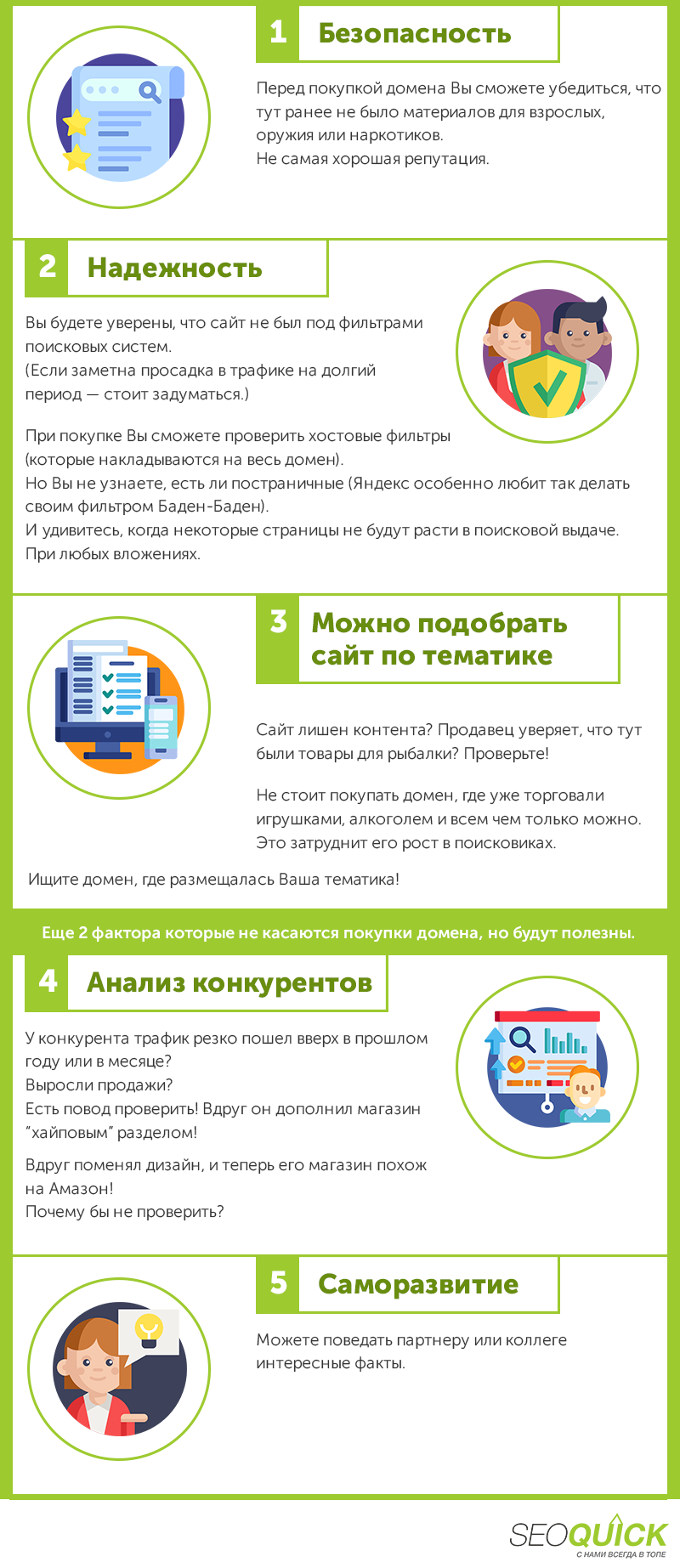
1. Indexation and old structure. Google remembers which pages used to live on the domain. If it hosted doorway sections, thousands of junk pages, or a product catalog, the search engine may keep those URLs in the index for a long time. After launching the new site you will get 404s, strange queries in Search Console, and a "tail" of an irrelevant past.
2. Backlink profile. The most dangerous inheritance. The domain could have been a PBN satellite or accumulated spam links with over-optimized anchors. In 2026 Ahrefs shows a dedicated SPAM label next to referring domains, and Semrush has a Toxicity Score. According to Semrush, a toxic profile directly affects trust and the risk of penalties — but you cannot trust automated scores blindly; manual review is essential.
3. Topic change. If the domain used to be a casino or a store and you are building a health blog on it, that is a weak brand signal. Google has explained that it usually treats expired domains as new sites and does not pass inherited authority if the content does not match the previous topic.
4. Redirects and merges. Old 301 redirect chains and domain "merges" quietly dissolve link equity and break analytics. You need to find them before migration, not after a traffic drop.
5. Reputation and penalties. Reviews of the previous owner, brand mentions, falling under filters — all of it moves with the domain. Google's March 2026 update tightened enforcement of rules against expired-domain abuse, and the August 2025 spam update already crushed the visibility of such sites by up to minus 70% of traffic in some niches.
| Reason | What you may find | Why it matters |
|---|---|---|
| Indexation | junk pages, old sections | Google remembers the old structure |
| Links | toxic anchors, PBN, spam | affects trust and filter risk |
| Content | topics unrelated to the business | weak brand signal |
| Redirects | chains and merges | lost equity and analytics |
| Reputation | reviews, mentions, previous owner | affects conversion and penalties |
Want free traffic and to promote a site without the risk of inheriting someone else's problems? Order a technical site audit — we will check the domain before you invest budget into it.
5 tools to check a website's history
Simple, convenient tools for checking history — and almost all of them free. Today billions of pages are indexed online, and information about a domain's past can be gathered in roughly half an hour. Here is the working set for 2026.
1. Wayback Machine (web.archive.org). The main internet archive, also known as the "Time Machine". The Internet Archive service stores snapshots of sites since 1996 and shows how a resource looked on any given date. Enter the domain in the search bar, pick a date in the calendar — and you will see an archived copy of the page, its design and content.
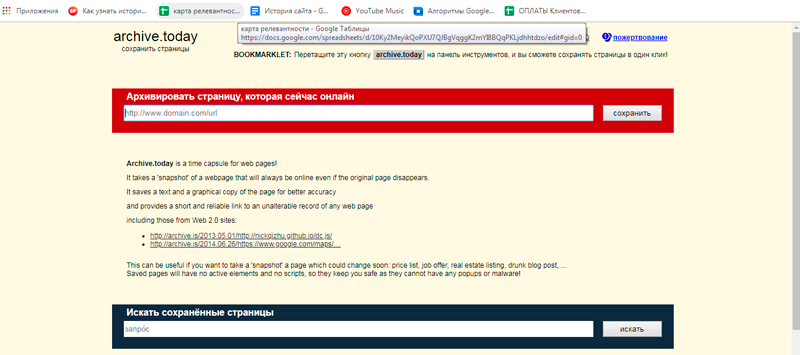
Pros of the Wayback Machine:
- Free access, no registration required.
- Shows the design and structure of all indexed resources.
- A huge snapshot database spanning decades.
- Helps you understand whether the domain's topic has changed.
Cons:
- Not all pages and not all dates are saved.
- Dynamic content (web 2.0) and some PDFs are not always archived.
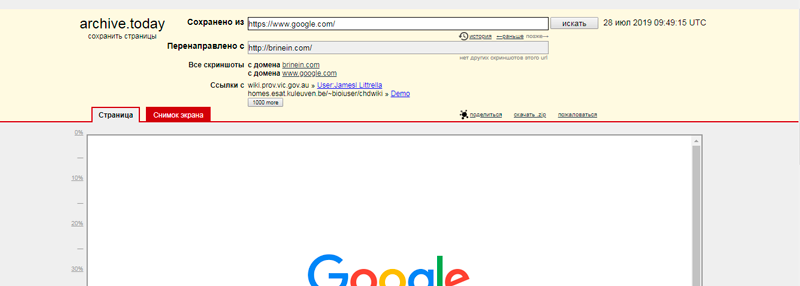
2. Whois history. Whois is a protocol that stores public domain registration data. Whois history shows the creation date, the expiration date, and ownership changes. A very old registration date is a sign of an established domain and a potential SEO asset. For a one-off check, WHOIS History Lookup works well; for large-scale tasks there are platforms like Whoxy with a database of hundreds of millions of domains.
3. The site:domain.com operator + Google Search Console. The most underrated "history tool" is built into Google itself. The query site:domain.com shows which pages of the domain are still indexed. And if you have access to Search Console, be sure to open the Manual Actions section: a "No issues detected" message means there are no manual penalties. This is the only way to learn about a filter "first-hand".
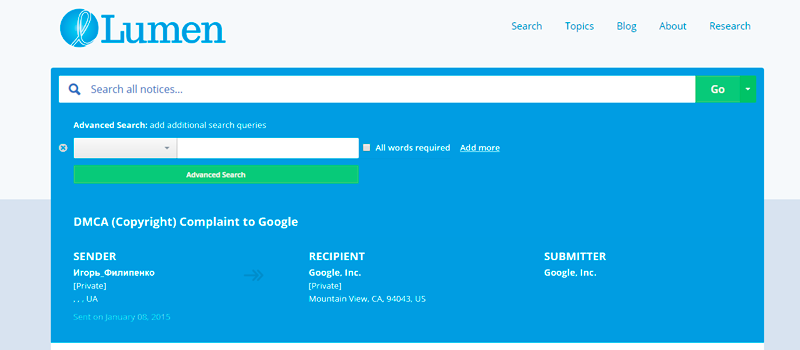
4. Lumen Database. The Lumen service collects notices about content-removal requests (DMCA and similar). It is useful for understanding whether there were legal conflicts and complaints about the domain's materials. Access is free and it provides copyright transparency.
5. Ahrefs (with Semrush as an alternative). If you are interested in traffic spikes, ranking growth, and the history of a backlink profile over time — this is where you go. The dashboard shows backlink-profile analysis, traffic dynamics, keywords, and domain authority metrics. Here is a clear overview of how to work with the tool:
Pros of Ahrefs:
- A huge database of links and keywords.
- A SPAM label next to suspicious referring domains.
- Full project analytics: semantics, structure, links, traffic, rankings, content.
Cons:
- Not the cheapest. But you pay for quality.
- Automated toxicity scores need a manual double-check.
Recommended reading:
A step-by-step domain-history workflow
Let's bring all the tools into a single order of actions. This checklist works for buying a drop domain, for an audit before a redesign, and for preparing a migration.
- Check indexation. The site:domain.com query and Search Console (if you have access) — which pages Google still remembers.
- Open the archive. In the Wayback Machine, review snapshots across different years: what content and topic the domain had.
- Study the links. In Ahrefs or Semrush, check the backlink profile, anchors, and SPAM/Toxicity labels.
- Find redirects. Old 301s and redirect chains that can spoil equity.
- Check Whois history. Who owned the domain and when, and how often it changed hands.
- Assess reputation. Branded queries, mentions, Lumen complaints, reviews of the previous owner.
- Compare the topic. The site's old theme versus your new one — is there a sharp break.
- Plan the migration. Sitemap, 301 redirects (or 404 for irrelevant content), canonicals, analytics. Per Google's guidance, correct redirects preserve SEO equity during a move.
By the way, our guide to checking website traffic also helps you see how a site looked and how much traffic it had in the past. And if you are planning not a purchase but a build from scratch, look into our website development section.
Drop-domain and penalty nuances in 2026
Drop domains (released after non-payment of registration) are a story of their own. They can carry a strong backlink profile and look like a bargain, but in 2026 the rules of the game have tightened.
The main risk is a topic mismatch. If you redirect a drop domain from a different niche to your main site, Google in most cases ignores such a redirect and passes little or no equity. Worse, unnatural redirects from an unrelated niche sometimes drag down the rankings of the main project.
The second risk is penalties for expired-domain abuse. Google strengthened their enforcement, and sites on "pumped-up" drops lost visibility by multiples. So before buying, be sure to run the domain through the entire checklist above: archive history, links, indexation, and manual actions in Search Console.
A simple rule of thumb: buy a domain only if its past topic is close to yours, the backlink profile is clean, and the archive shows no traces of casinos, doorways, or spam. In all other cases, a "pretty" domain history will turn into a headache.
Anatoliy from SEOquick covered in detail how to analyze the past and current state of projects in his videos — for example, in the clip about promotion:
FAQ: common questions about website history
What is website history in simple terms?
It is everything that happened to the domain before you: what content was published, which links pointed to the site, whether the topic changed, who owned it, and whether it ever fell under penalties. The history does not vanish on redesign day — Google and users remember the domain's past.
How do I check a domain's history for free?
A stack of free tools: the Wayback Machine (web.archive.org) for archived copies, the site:domain.com operator for indexation, Google Search Console for manual actions, and a basic Whois-history check. That is enough to form a first impression of a domain's past.
Can I find out a domain's previous owners?
Yes, through Whois history. Services like WHOIS History Lookup and Whoxy show who registered the domain and when, and how often ownership changed. A very old registration date often indicates an established, more trustworthy domain.
Is it dangerous to buy a drop domain?
It is risky if you do not check the history. A drop can carry spam links, an unrelated topic, or a Google filter. In 2026 the search engine treats expired-domain abuse harshly, so a check via the archive, links, and Search Console is mandatory before buying.
How do I check whether a site was under a Google penalty?
The most reliable way is the "Manual Actions" section in Google Search Console (you need access to the domain). Indirectly, sharp traffic drops in Ahrefs or Semrush and a toxic backlink profile point to problems. A technical audit gives the full picture.
How do I preserve traffic during a redesign or migration?
Plan the move in advance: set up 301 redirects (or 404 for irrelevant pages), update the sitemap and canonicals, follow Google's URL-change guide, and connect analytics before launch. Then the site's history will work for you, not against you.
Conclusions
- Website history is part of SEO due diligence: checking it matters before buying a domain, a redesign, and a migration.
- The minimum set: the Wayback Machine, Whois history, Ahrefs/Semrush, site:domain.com, and Google Search Console.
- The main risks in 2026 are toxic links, topic changes, and penalties for drop-domain abuse.
- Do not trust automated toxicity scores blindly — manual review and, ideally, an expert audit are needed.
- If you have doubts about a domain, order SEO promotion and an audit from SEOquick so you don't invest budget into a troubled past.

DanEri Yachts Website Development Case Study: An SEO-Ready Site for Yacht Cruises in Crete
How SEOquick developed daneriyachts.com: cruise structure, fleet pages, port categories, prices, LinkTwist links, staging-first releases, and a foundation for a customer account.
Read →
Dropshipping: What Is It, How to Start, and How Much Can You Earn?
Want to learn everything about dropshipping? A fast start with no investment and a steady income. How to find reliable suppliers and where to sell? Tips on promotion and advertising. Hacks for direct trading on marketplaces and social media.
Read →
How to Check and Estimate Website Traffic: Yours and Your Competitors'
How to check your own website traffic and your competitors': GA4, Search Console, Similarweb, Ahrefs, Serpstat — plus how to track visits from ChatGPT and AI search.
Read →Want to apply this to your site?
We will review the current situation, find the first growth levers, and suggest a practical working format.