Pop-up windows in 2026: types of pop-ups and 22 rules to grow conversions without annoying users
Pop-ups still deliver some of the highest conversion rates in digital — but only if you show them at the right time, natively, and without triggering a Google penalty. We break down pop-up types, the 2026 rules, and 22 tactics to grow conversions.


I will look at your site and answer your questions on the topic of this article. 30 minutes, no slide decks, no pressure.
Book a consultationPop-ups work: in 2026 the average pop-up conversion rate sits around 4.8%, and the best scenarios (like an exit-intent with a relevant offer) reach 8–10% and higher. But the same tool can sink both your behavioral metrics and your search rankings if you show a full-screen window right after someone arrives from search. What matters is not the format — it is timing, size, frequency, the usefulness of the offer, and whether the window is easy to close.
Every website's job is to attract visitors' attention. Keep them. And then convert them into buyers — or at least into subscribers. Among other tools for this, sites use pop-up windows (you'll also see them written as popup or pop up).
This article skips heavy terminology and mechanics. Instead it breaks down how to make pop-ups stop scaring visitors away and start raising your conversion rate — through the right display policy, quality, and relevance of content.
Why does this channel matter? Because pop-ups are heavily criticized and regularly named one of the most annoying ad formats. According to Nielsen Norman Group, intrusive overlays have topped the lists of most-hated formats for years. To get rid of them, users install blockers: by 2026 roughly a third of the world's internet audience uses ad blockers, and a top reason is "too many ads" and overlays that cover content. Browsers have built in their own blockers for intrusive windows too.
And yet pop-ups still work. SUMO once analyzed the performance of nearly 2 billion pop-up windows across sites of every topic. Fresh 2026 industry reports — now based on more than 1 billion displays — confirm the trend: the average pop-up conversion rate has risen to about 4.8% (up from 4.65% a year earlier), and the top 10% of campaigns using A/B testing convert at over 25%.
If your site gets 5,000 unique visitors a day, then at the average conversion rate pop-ups can bring you 200+ new subscribers daily — not a small number to ignore.
So what is a pop-up, what jobs do these windows do, and under what conditions can this "universal evil" deliver real value to a site owner? If you want to increase your site's conversion rate, write to us — we'll run a usability audit of your pages to improve your Call to Action forms.
Types of pop-up windows
Let's look at the kinds of pop-ups, how they differ, and what they do. We'll give examples — good and not so good — and classify them from the point of view of a user far from digital tech.
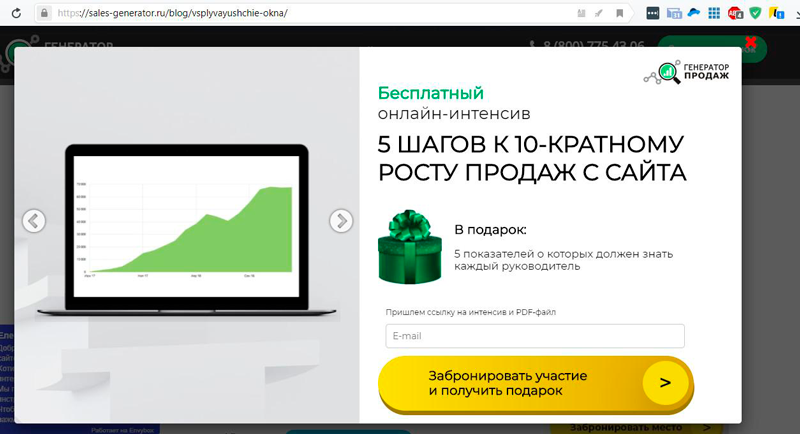
- First-screen windows (welcome mat). These are called welcome pop-ups, though they welcome no one and rather push people away. Such a window appears in the first seconds after the site opens, when the person hasn't even figured out where they landed. The friendliest version hides only a small part of the screen and leaves something readable. The crude, misanthropic version covers content almost entirely and blocks any action until the person does what's asked or finds that elusive close button. It is exactly this full-screen scenario after a click from search that Google penalizes.
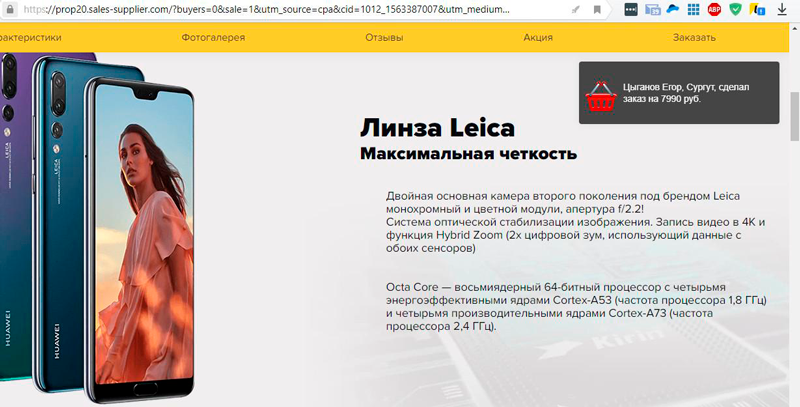
- Scroll windows (scroll trigger). These appear as the user scrolls the page. The timing is set in advance — for example, once the person has viewed 35–60% of the page. According to 2026 reports, scroll windows are the most popular yet one of the least effective types (around 2.2% conversion), so their offer deserves extra care. Scroll windows can ask a question or present social proof: "127 visitors are viewing this page right now" or "Last order placed 2 minutes ago by Mykola M. from Lviv."
- Companion windows (sticky / floating). These appear on open or in the first seconds, but do not cover content, do not move on scroll, and usually sit to the right of the text. This format carries no SEO risk. Online chat windows almost always accompany the user the same way.
- Timed windows. These appear after a set delay. The sweet spot is 20–25 seconds for blog articles and 45–60 seconds for product and service pages — by then the person is engaged and has assessed the content.
- Exit-intent windows. The acknowledged lead catchers. These appear the moment a person is about to leave the site without completing a conversion action. At that moment you make an offer valid "here and now": a discount, bonus, gift, free trial, or useful free information in exchange for an email. The average exit-intent conversion rate in 2026 is around 3.9%, and optimized campaigns with a relevant lead magnet regularly hit 8–10% and higher.
Softer alternative: use sem.chat in the bottom-right corner instead of an aggressive pop-up. It answers questions 24/7, learns products quickly, and does not cover the main content.
Jobs that pop-up windows do
Pop-ups are not only about subscriptions. Well-configured windows solve several marketing jobs at once:
- Building an email list. The classic newsletter or blog subscription in exchange for a checklist, guide, or discount.
- Recovering leaving traffic. An exit-intent window catches a visitor who has already moved the cursor toward the tab's close button.
- Raising average order value. A native hint — "150 UAH left to free shipping" — gently increases the order total.
- Social proof. A window showing purchase or subscriber counts builds trust.
- Location confirmation. Useful when a person is looking for a product, service, or shop in their own city.
- Announcing promos and special offers. An unobtrusive window with a relevant discount.
- Segmentation and quizzes. A question window helps you understand what the visitor needs and route them onward.
- Feedback and surveys. A short survey about site usability or reasons for leaving.
- Chat support. An online chat window accompanies the user and handles objections.
- Thank-you and confirmation. A "thank you" window after a subscription or request closes the action on a positive note.
From the site owner's perspective, interacting with any pop-up increases the time a visitor spends on the page, which improves behavioral metrics and pleases search engines — as long as the windows don't block access to content.
Recommended reading:
Pop-ups and SEO: Google's intrusive interstitial penalty
The key rule for 2026: a pop-up must not block the main content immediately after a user arrives from search on a mobile device. Google has applied the intrusive interstitial penalty for this since 2017 — a demotion in mobile results. And it remains in force: after the December 2025 and February 2026 Core Updates, Page Experience signals are weighted more heavily, and intrusive overlays correlate with ranking losses.
Three scenarios trigger the penalty, as described in the official Google Search Central documentation:
- a window that covers the main content right after a click from search;
- a standalone interstitial that must be dismissed before the page is accessible;
- a layout where the above-the-fold area looks like an interstitial and the content is pushed down.
And here is what does not trigger the penalty: exit-intent windows, timed windows, sticky bars, scroll triggers when set up correctly, and legally required notices — cookie-consent banners and age verification (as long as they don't fully cover the content). According to Search Engine Land, tidy non-full-screen formats carry no measurable SEO risk.
A separate matter is GDPR and cookie consent. If you serve a European audience, the banner must appear before any non-essential cookies load, offer "Accept" and "Reject" with equal visual prominence, and not re-prompt a user for at least six months after they decline. In 2025, France's CNIL issued fines worth hundreds of millions of euros precisely for cookie-banner violations — so this is no formality. Tuning behavioral signals and forms is best paired with sound search engine optimization, and traffic-driving promos with pay-per-click advertising.
Removing the negativity, raising conversion: 22 rules
The ultimate job of pop-ups is to raise a site's conversion rate. But to get there, you first have to remove users' negativity toward pop-ups. The overall trend is simple: less aggression and intrusion, more care and value.
Removing the negativity…
- Hold off on showing a pop-up in the first seconds. Give the person at least 10–15 seconds to understand where they landed. On mobile, wait 7–10 seconds or until they scroll 35% of the page.
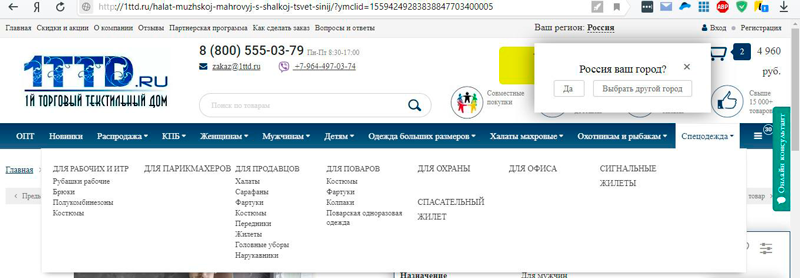
Exception: Small, tidy windows that ask the user to confirm a location. This is often useful when someone is looking for a product, service, or job in their own city.
- Don't make the welcome window aggressive. Especially annoying are windows that immediately demand a subscription, registration, or request. How can someone subscribe before they even understand to what?
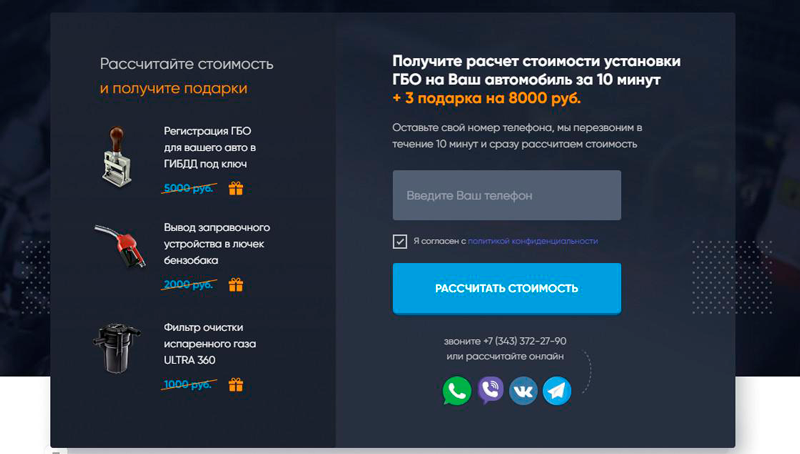
- Don't overload the site with pop-ups. Separate pop-ups for welcome, subscription, discount, scroll, exit, return, and social proof all at once is too much. The 2026 rule is simple: no more than one window per page view.
- Don't hide the close button or "X". When closing is a whole quest, it's both poor taste and irritating. On mobile, make the X big enough for a thumb to tap.
- Don't use windows with auto-playing sound. Autoplay with sound is one of the strongest drivers of ad-blocker installs.
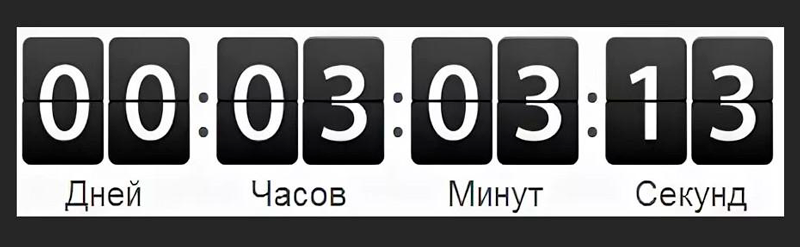
- Keep any promo countdown timer small and unobtrusive. No oversized forms or eye-searing fonts.
- Provide native, useful information. If shipping is free above 3,000 UAH, gently remind them: "370 UAH left to free shipping." Useful to the user and profitable for the seller.
- Don't add extra effects. Drop the annoying blinking and any animation that bloats load time.
- Don't try to bypass ad blockers. Show the person you respect their choice — that builds loyalty.
…Raising conversion
- Don't overload the pop-up with text. One clear headline and a brief explanation. The person should grasp the offer at a glance. Windows relevant to the page content work best.
- Proofread for spelling and especially factual errors. They sharply reduce trust — factual ones most of all.
- Use classic marketing devices. "Free," "right now," "limited offer," "only 3 spots left" — clichéd, but it works in pop-up copy.
- Don't neglect social proof. "100,500 subscribers already with us" inspires trust.
- Show the benefit of the action. "Fill out the form and be the first to hear about our promos and discounts."
- Minimize form fields. Per 2026 data, windows with 1–3 fields convert noticeably better than those with 4–5. If you don't need the data to close, delete the field. Make complex offers multi-step: multi-step forms add 20–40% on mobile.
- Match the fonts and style of the main page. That keeps the window from looking like a foreign element.
- Don't forget thank-you windows. After a subscription or request, thank the user and show the action is complete.
- Add value to your offer. A 5% discount alongside the subscription looks more attractive than a bare "subscribe."
- Work with people already interested in the site. Two minutes on the site means the topic is relevant. That's the time to show an attractive offer.
- Remember the user's actions. Already subscribed? Don't keep asking. It's irritating.
- Explain your actions. Asking to confirm a location? Explain why it helps them, not you.
- Give freedom of choice and test. A "Don't show again" button (genuinely honored) builds loyalty, and A/B testing is the main driver of results: top campaigns convert precisely because they test headlines, offers, and timing.
FAQ: common questions about pop-ups
Do pop-ups hurt SEO?
Not on their own. What hurts is one specific scenario: a full-screen window that covers content right after a click from search on mobile. Exit-intent, timed, sticky bars, and scroll windows carry no SEO risk when set up correctly.
When is the best time to show a pop-up?
After engagement, not on entry: 20–25 seconds for articles, 45–60 seconds for product pages, or after 35–60% scroll, or on exit-intent. On mobile, wait at least 7–10 seconds.
What is a normal pop-up conversion rate?
In 2026 the average pop-up conversion rate is about 4.8%. Exit-intent averages ~3.9%, and optimized campaigns with a relevant offer reach 8–10% and higher. The top 10% of campaigns using A/B tests exceed 25%.
How many form fields should I use?
As few as possible. Windows with 1–3 fields convert better than those with 4–5. Each extra field lowers conversion, especially on mobile. For complex offers, use multi-step forms.
Is a cookie banner a pop-up that triggers Google's penalty?
No. Legally required notices (cookie consent, age verification) are not penalized by Google — as long as they don't fully cover the content. But under GDPR such a banner must offer equally prominent "Accept" and "Reject" buttons and respect the user's refusal.
Pop-up or live chat — which should I choose?
They are different tools. A pop-up is good for a specific offer and for capturing leaving traffic. Live chat is softer: it accompanies the user, answers questions 24/7, and does not cover content — a good alternative to aggressive windows for complex B2B products.
BOTTOM LINE
The rumors that pop-ups don't drive conversion and only cause annoyance are greatly exaggerated. With the right marketing approach, a sense of proportion, and adherence to Google's rules, pop-ups remain one of the most effective lead-generation tools — they answer questions and offer timely, valuable information to visitors.
Most of the user negativity can be removed by thoughtfully working on content, display timing, and overall usage policy. Use pop-ups wisely, and they'll surely bring value to you and your project.
Smart lead generation: grow conversion by 30% and more!
What is lead generation and why are sales not growing? What types of leads exist and why does a business need them? How a lead manager works.
Read →
How to improve Google rankings in 30 days: an honest plan without top-1 guarantees
What can realistically improve in a month: CTR, technical issues, intent, content, internal links, speed, and conversion.
Read →
Crowd marketing in 2026: earn trust, questions, and leads without spam
What crowd marketing is in 2026: platforms, rules, metrics, and impact on AI search. How to do it naturally and avoid Google's filters.
Read →Want to apply this to your site?
We will review the current situation, find the first growth levers, and suggest a practical working format.